Persistent chats that turn into searchable knowledge
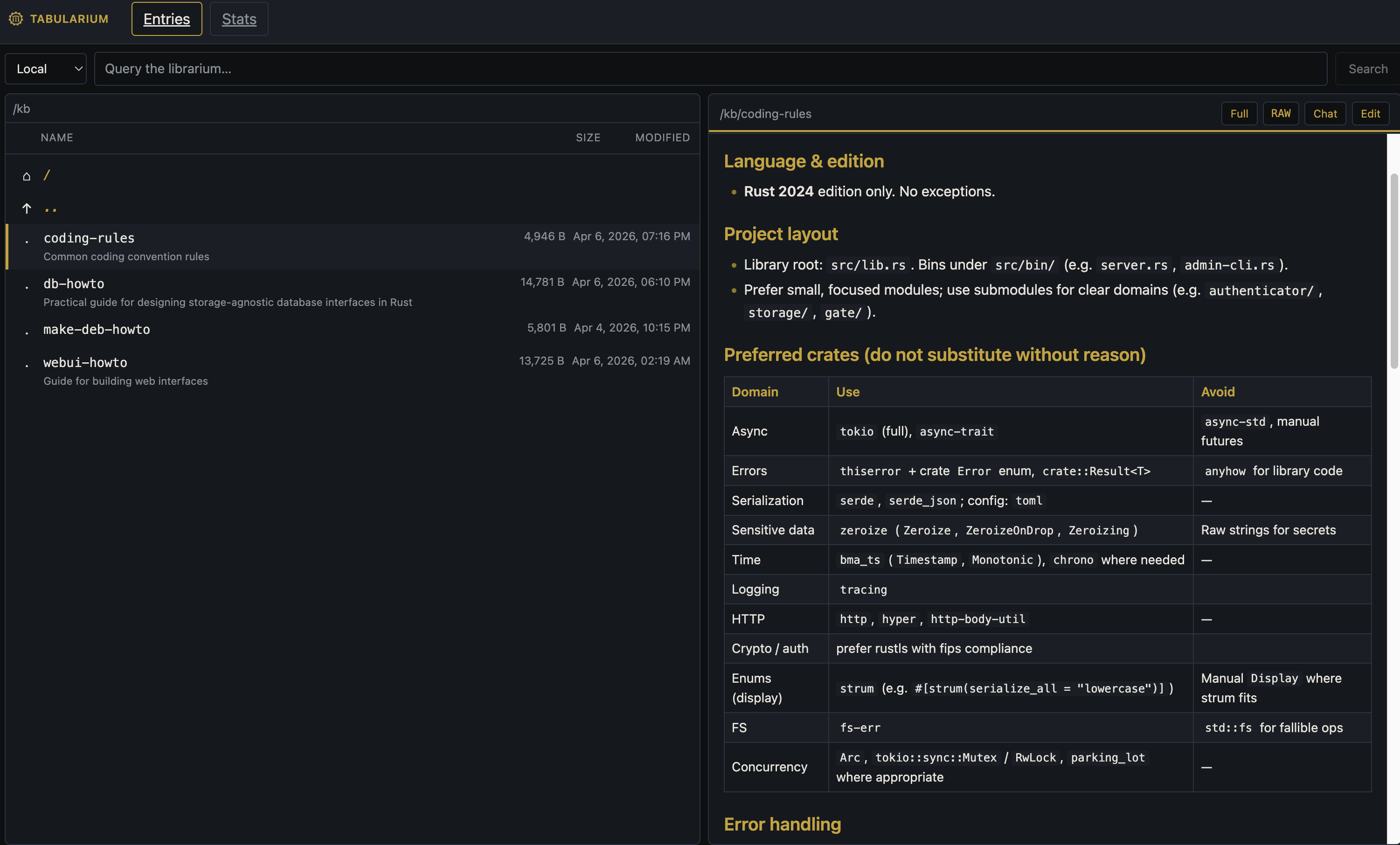
Tabularium captures chats, docs, meetings, and tasks as durable markdown in a real directory tree - then makes it searchable and accessible to AI tools via MCP, and to humans via web UI, CLI, REST, and JSON-RPC.
What is it?
A self-hostable document server with search, HTTP APIs, and MCP access to the same content.
Who is it for?
Teams that want structured notes, automation, and AI tools on top of plain documents - not another opaque SaaS silo.
How do I start?
Use Docker or the Debian packages below, open the web UI, then wire agents or scripts to REST, JSON-RPC, or MCP.
Capabilities
Grounded in what ships today - no real-time collaboration layer, no dedicated mobile app, and no enterprise SSO story baked in yet.
Chats
Chat in the web UI or from your terminal (tb), with history kept as searchable, shareable documents.
Documents & tree
Browse, edit, append, and export markdown in a directory structure backed by SQLite.
Full-text search
Tantivy-backed search across your corpus from the UI, CLI, and APIs.
Web UI & CLI
Embedded web interface plus tb for one-shot commands, shell, and chat-oriented flows.
REST, JSON-RPC & MCP
Integrate services and AI agents with HTTP APIs and Model Context Protocol endpoints (when enabled in config).
How teams use it
You keep runbooks, specs, and meeting notes as normal markdown. Conversations happen in the web UI or in a terminal via tb, and they become durable knowledge you can search later. Automation publishes or queries the same files via REST or JSON-RPC; AI assistants use MCP against your instance so answers stay tied to your repository of truth - without giving up self-hosting or file-oriented workflows.
Self-hosted & programmable
- Run on your own infrastructure; data lives in SQLite and on-disk index paths you control.
- Document-shaped workflow - export and backup friendly compared to opaque proprietary stores.
- Multiple integration surfaces (HTTP APIs, MCP) for scripts and agent tooling.
Quick start
Debian (APT packages)
curl https://pub.bma.ai/apt/setup | sudo sh
sudo apt-get install tabularium-server tabularium-cli
Configuration file: /etc/tabularium/config.toml
Docker (published image)
mkdir -p ./data ./spill
docker run --rm \
  -p 3050:3050 \
  -p 3031:3031 \
  -v "$(pwd)/data:/var/tabularium/data" \
  -v "$(pwd)/spill:/var/tabularium/spill" \
  bmauto/tabularium:latest
Default config in the image: /etc/tabularium/config.toml. For bind addresses inside containers, see docs/docker.md.
macOS (Homebrew)
# add tap
brew tap eva-ics/tabularium https://github.com/eva-ics/tabularium
# install
brew install tabularium
Apple Silicon only (arm64 / aarch64-apple-darwin). Installs tabularium-server as a Homebrew service and tb as a CLI binary. Start with brew services start tabularium and stop with brew services stop tabularium.